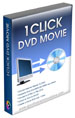
 | 1CLICK DVD MOVIE converts movie files to DVD, VCD or SVCD. This software is compatible with most movie file formats including AVI, DivX, XviD, MPEG1, MPEG2, QuickTime, ASF, WMV and XP Media Center files. With just one click, you can create a DVD movie. You don't have to sit in front of a computer to watch your movie files. With 1CLICK DVD MOVIE, you can convert your movie files to DVD and watch them on your television.
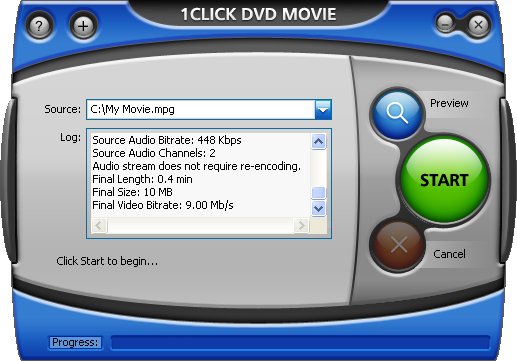
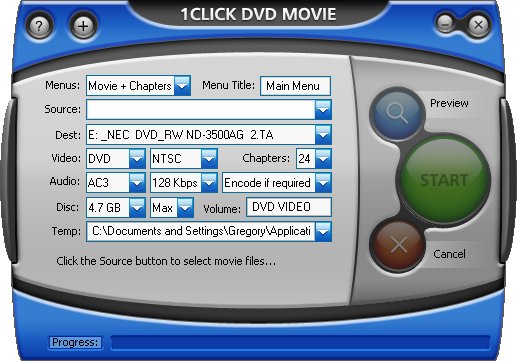
Simply select a source file and click "Start" to create a movie DVD, complete with menus and chapters. Everything is done automatically for you, so it's really just one click. An options window is available for experienced users who want more control. |
Click to see Chapter Menus Click to see Options Window
Key Features - Windows 7 Compatible.
- Creates DVD, VCD or SVCD movies.
- Automatic menu creation with thumbnail video image chapter buttons.
- Dynamic Preview lets you test the menus before you burn the DVD.
- Supports Dolby Digital® AC3 audio.
- Supports most file formats including AVI, DivX®, XviD, MPEG1, MPEG2, QuickTime®, ASF, WMV and XP Media Center files..
- Supports Dual Layer Recordable Media.
- Simple and easy-to-use "one click" operation.
- Free software updates for a year.
- Free technical support.
| |
Professional Results - MainConcept MPEG-2 encoder for speed and quality.
- Sonic Authorscript for industry standard authoring and burning.
|  |
Minimum System Requirements- Windows 7, Vista, Windows XP or Windows 2000.
- 500 MHz Intel® Pentium III process or equivalent with 256MB of RAM.
- Windows Media Player version 10 or greater.
- 5 GB available hard disc space for DVD image and temporary DVD files.
- DVD/CD Writer (DVD writer required for burning DVDs).
|
. .
|
DivX® is a registered trademark of DivXNetworks, Inc. QuickTime® is a registered trademark of Apple Computer, Inc. Dolby Digital® is a registered trademark of Dolby Labs.
More Info - Creating a DVD is simple - Select a source file and click the "Start" button.
- The User Guide contains additional information and explains the software in greater detail.
Copyright © 2003 - 2010 LG Software Innovations. Al


 1CLICK DVD MOVIE - CHAPTER MENUS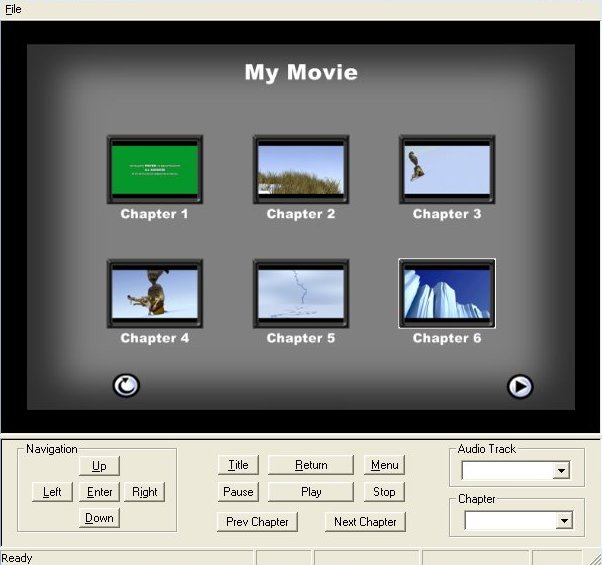

Tidak ada komentar:
Posting Komentar